Thursday, January 8, 2015
Searching Domains with PCNames.com
There are many ingredients that go into your prescribed recipe for success. If you’re looking to make any kind of impact online, one of these critical ingredients is having the right domain name. It has to be reflective of your brand, easy to remember, and — perhaps most importantly of all — it has to be available. That last part can be particularly challenging.
Helping you along on this front is PCNames.com. The website itself may look remarkably simple, but this simple tool could prove to be one of the most useful utilities among your online arsenal.
Finding the Right Domain Name
When you go to most domain registars, you’ll find an area to look up the availability of the domain you would like to register. The trouble is that you have to type in the domain, hit the enter key, and wait for the results. Well, time is money and the more time you can save, the better.
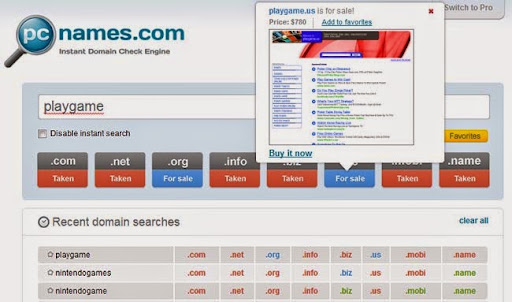
With the domain name searchon PCNames.com, the results are actually displayed to you instantly. This works in much the same way as Google Instant; you don’t hit enter to get your results. After a two-second delay, the results are shown to you on the same screen. This can help to save you some precious time.
After that two-second delay, you are shown whether your preferred domain name is available with a series of different TLDs, including .com, .net, .org, .info, .biz, .us, .mobi, and .name. The color-coded results tell you whether the domain is available for regular registration, available for purchase, or not available. Hovering over any of the domain extensions yields your registration options. PCNames also maintains your history and allows you to save favorites.
Getting Related Names Too
In addition to the primary search tool, PCNames also has some supplementary tools for more advanced functionality.
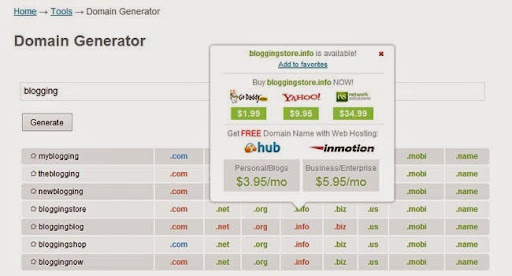
One of these, called the Domain Generator, is there to help you generate domain names. You enter the base term that you’d like to use and it will display a few alternatives that make use of your keyword, each of which shown with the different TLD possibilities and availability.
In the example above, I used “blogging” as the example. The tool yielded alternatives like myblogging.mobi, blogginstore.org, and bloggingnow.biz. This can be helpful when you’re looking to capture a niche and your ideal domain name is not available.
A Widget for Your Website
There is also a tool for bulk lookup, as well as a mobile app you can use on your cell phone. Beyond that, you can install various domain lookup widgetson your website as well.
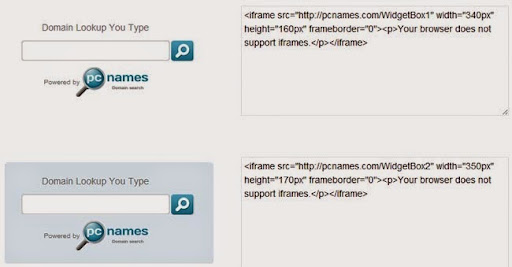
These live widgets can be embedded on your site, giving your visitors the ability to look up domain names just as if they were on the official PCNames site. They get the same multi-TLD results and the same hover-and-reveal functionality. Domains for sale, for example, can redirect users to the associated Sedo sale page.
A Free and Handy Tool
The functionality of PCNames.com is not exactly revolutionary, but it does serve a very useful purpose. When you are looking for different domains to register, any time you can save in the process is more time you can save to market, brand, and monetize the related websites.
The instant results save you that time, as do the various domain tools that are available through the site. And yes, it’s completely free to use with no requirement to sign up for an account.

No comments: